
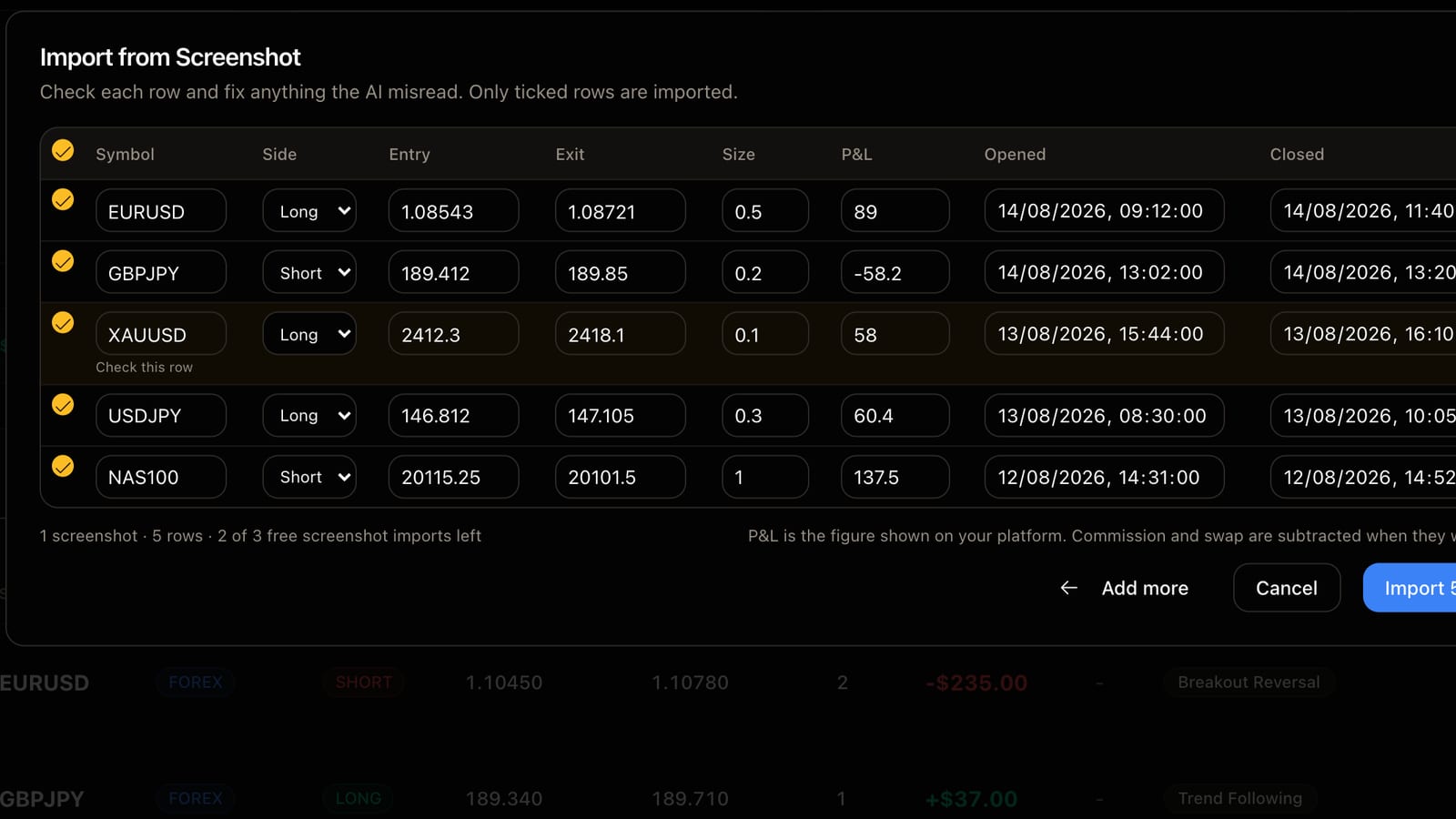
The most common reason trades never make it into a journal is not laziness. It is that the trader is on their phone and the platform has no export button. MT4 and MT5 on mobile, TradingView, a broker's own app, TopstepX on a tablet. You can see your closed trades. You cannot get them out.
So FreeTradeJournal reads screenshots.
How it works
Take a screenshot of your closed trades or history. Any platform that shows symbol, direction, entry, exit and result will do. MT4 and MT5 on phone or desktop, TradingView, TopstepX, Tradovate, NinjaTrader, or your broker's app.
Open the Trade Log or the Dashboard, choose Import, and upload the image. You can add more than one screenshot at a time if your history runs over several screens.
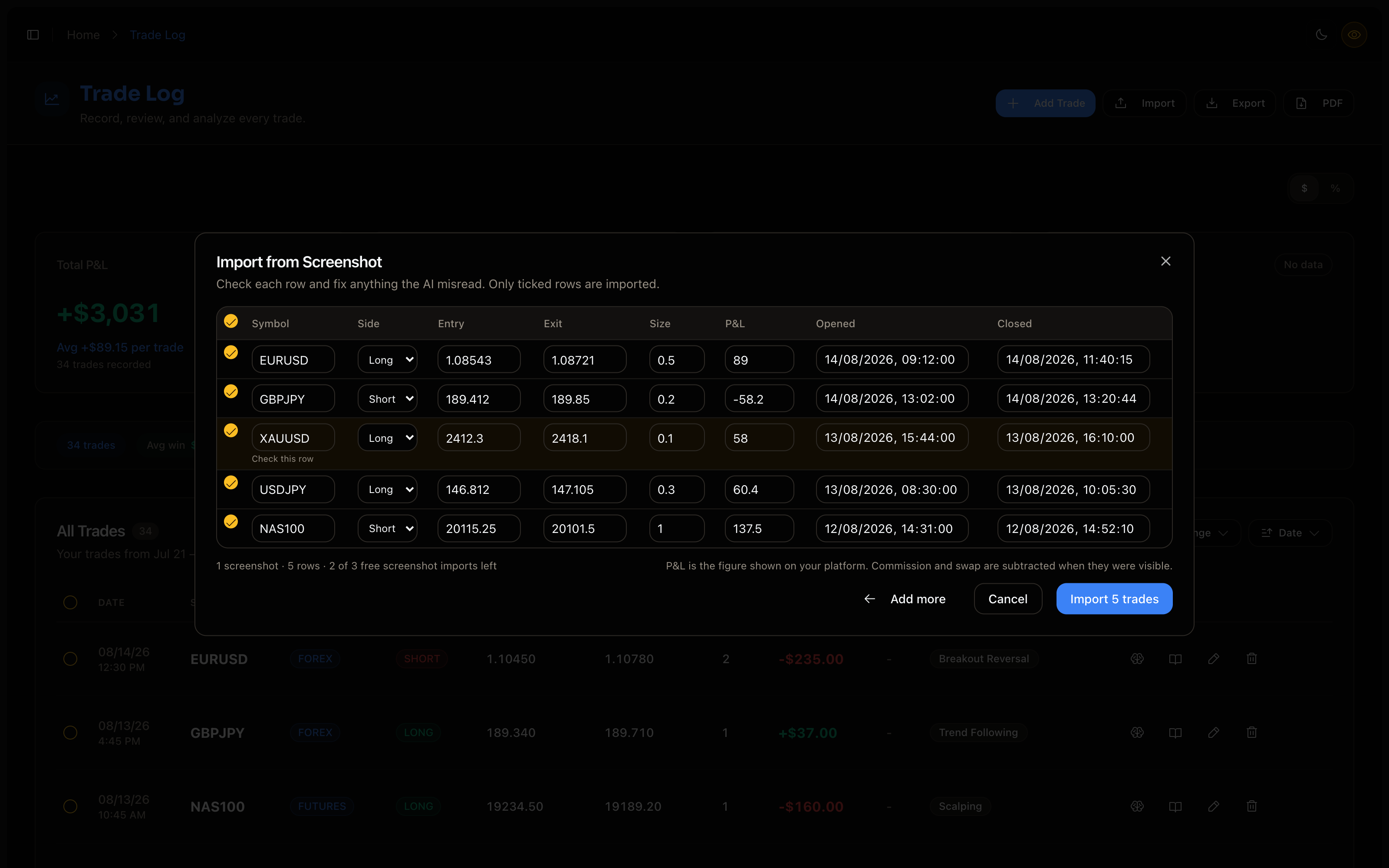
The trades are read out into a table. Each row has the symbol, side, entry, exit, size, P&L and the open and close times. Nothing is saved yet.
Check the table before you import
This is the part I want you to actually do. Reading numbers off an image is not the same as reading a CSV, and the importer is honest about that.
- Rows it is less sure about are marked "Check this row". Look at those first.
- Trades you already have are unticked, so a second screenshot of the same screen does not create duplicates.
- Every cell is editable. If a decimal point was misread, fix it in the table.
- Only ticked rows are imported.
P&L is the figure shown on your platform. If commission and swap were visible in the screenshot they are subtracted, so what lands in the journal is what hit your account.
What it costs
Free accounts get three screenshot imports. Pro accounts get 20 a day. If you have a CSV export available, use that instead. It is free without limit, exact to the cent, and it never misreads a digit.
When to use it
Use screenshots for the trades that would otherwise be lost. A phone session on a Friday, a demo account on a platform that does not export, a firm dashboard that only shows history on screen. A journal with those trades in it is worth more than a tidy journal with gaps.
Try it with one screenshot. Check the table, import, and the trades are in your log like any other.
FreeTradeJournal is the journal this post is about. Unlimited trades, broker CSV import and goal tracking on the free plan. No card required.
Start journaling freeRead next
How to keep a trading journal you actually open