Cookies
We use one optional set of cookies, for analytics, so we can see which features get used. Nothing optional is set until you choose. Cookie policy

What it looks like
What you get
Every tick counted.
Every contract covered.
Built for the way futures day traders actually work: many fills, micro and full-size contracts, and a prop firm rule book in the background.
Contract logging
Log ES, NQ, CL, GC, the micros, and any other contract: direction, entry and exit price, number of contracts, commission, and the open and close times. Add notes, a strategy, tags and a chart screenshot.
Dollar P&L from the contract
The journal knows the point value of every CME contract it recognises, so a 10-point NQ move on two contracts is $400 before commission, not "10". Commission is subtracted so the number you review is the number that hit your account.
Tradovate, NinjaTrader, TopstepX and Rithmic import
Drop the export in. Fills are paired into completed trades, partial exits and reversals are handled, and the per-fill commission is carried onto each trade. Expiry codes like MNQZ6 or "MNQ 12-26" are read as MNQ.
Analytics built for intraday
Win rate, profit factor, average win against average loss, drawdown, streaks, a calendar heatmap, an equity curve, and P&L by hour of the day and by session. Free covers your last 30 days; Pro keeps the whole history.
Evaluation and funded accounts side by side
Separate accounts for each firm and stage, each with its own trade log, starting balance and stats. PropTracker holds the daily loss limit and trailing drawdown so you can see how much room is left before the next session.
Free to start, no card
Trade logging, P&L, imports, goals and the calendar are free with no cap on trades. The free plan covers two accounts and the last 30 days of dashboard analytics. Pro adds full history, unlimited accounts, AI review and cloud sync.
Contract values
The numbers behind
your P&L.
Official CME Group tick sizes and tick values, checked against the exchange contract pages. These are the multipliers the journal and the position size calculator use.
Trading something not listed, or a broker's CFD version of an index? Set a custom multiplier on the trade and the journal uses that instead. Sizing a trade before you take it? The position size calculator uses this same table.
Import
From your platform
to your journal.
Fill-level exports are not a list of trades. Five fills on MNQ become one trade with the real average entry, the real exit and the right size.
Tradovate
- 01
Open Reports and export the Orders report, or the Performance report if you prefer one row per round trip.
- 02
Drop the file onto the Trade Log. Fills are paired into trades and the preview shows what was found.
- 03
Leave the account's broker time zone on "Same as this device". Tradovate files carry the time you saw on screen.
NinjaTrader
- 01
Open the Executions tab, right-click and export. The Trade Performance export works too.
- 02
Drop the file in. Partial exits and reversals are paired correctly and each fill's commission lands on its trade.
- 03
Contract names like "MNQ 12-26" are read as MNQ, so the point value is right without renaming anything.
TopstepX and Rithmic
- 01
Export the trade or fill history as CSV from the platform.
- 02
Drop it in. If the layout is new to the importer, a mapping dialog lets you match the columns once.
- 03
Check the preview times against your platform before you confirm. If the account's time zone would put a trade in the future, the import stops and tells you.
Sessions and hours
Find the hours
that pay you.
CME index futures trade almost around the clock, from Sunday evening to Friday afternoon New York time with a daily halt at 5 PM Eastern. Most retail futures traders make or lose their month in a narrow window inside that: the New York cash open, the first hour, or the London overlap.
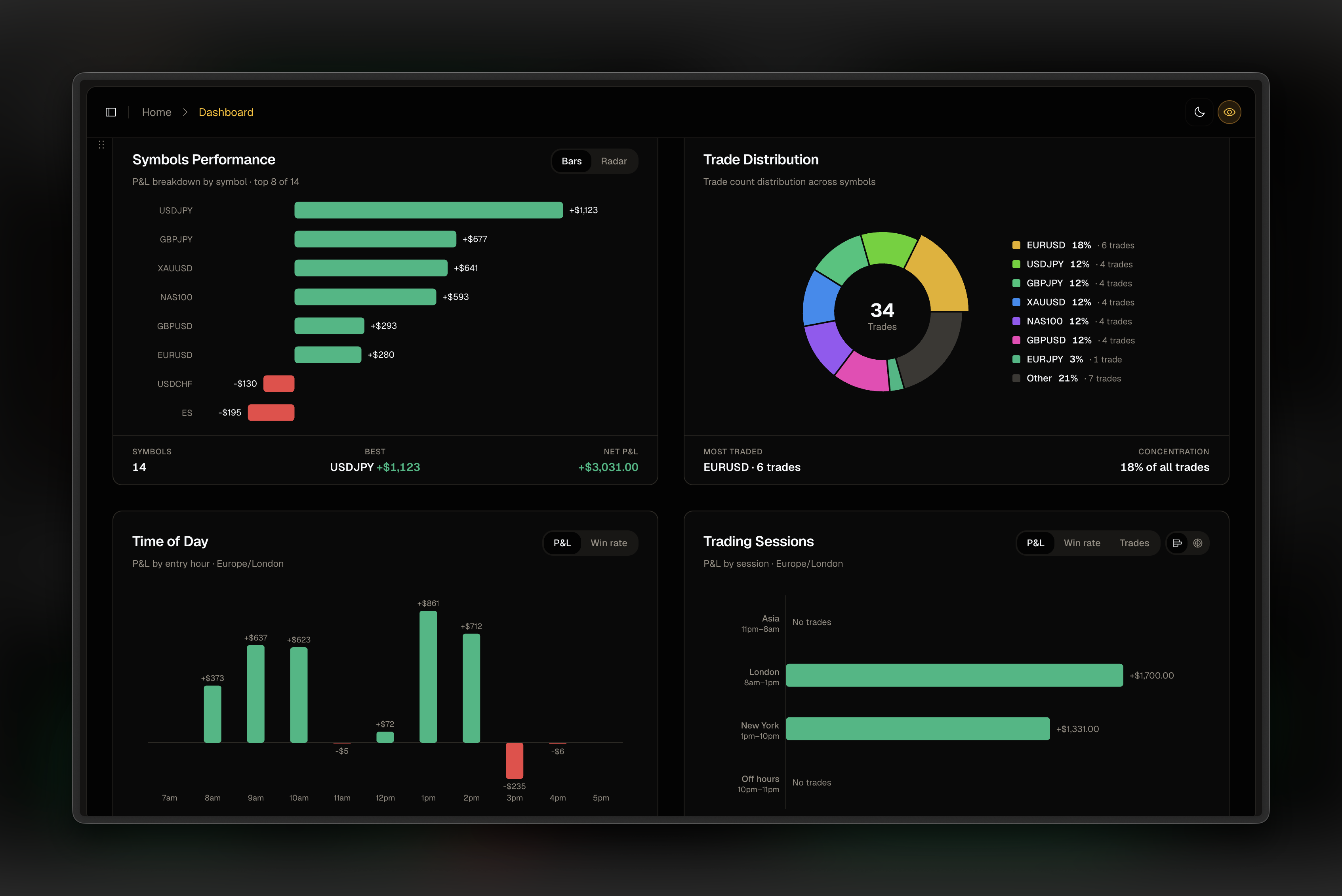
The journal draws your P&L by hour of the day and by session, in your own time zone, using only the hours you actually trade. Asia, London, New York and off hours each get a row, with a switch between P&L, win rate and trade count. It is the fastest way to find out that your 3 PM trades are paying for nothing but the 9:30 ones.
The calendar heatmap sits next to it, so a run of red Fridays or a habit of giving back Monday's gains on Tuesday is visible in one glance.
Prop firms
Built with the
rule book in view.
Most futures traders on Tradovate or NinjaTrader are there because a prop firm put them there. The journal treats that as the normal case. Each evaluation or funded account is its own account with its own trade log, and PropTracker holds the firm's rules for it: daily loss limit, trailing or static drawdown, profit target and consistency rule.
Every evaluation fee, reset and payout is logged against the account, so after three months you know what Topstep or Apex has actually cost you and paid you, not what the dashboard shows today.
- Topstep trading journal for the Combine, with TopstepX import
- Apex trading journal for the trailing drawdown, with Tradovate and Rithmic import
- Prop firm dashboard for drawdown and daily loss across every firm
- PropTracker for fees, resets and payouts per firm
Guides
Reading for futures traders
Import walkthroughs and review habits from the blog, written by the person who builds the journal.
Imports3 min read
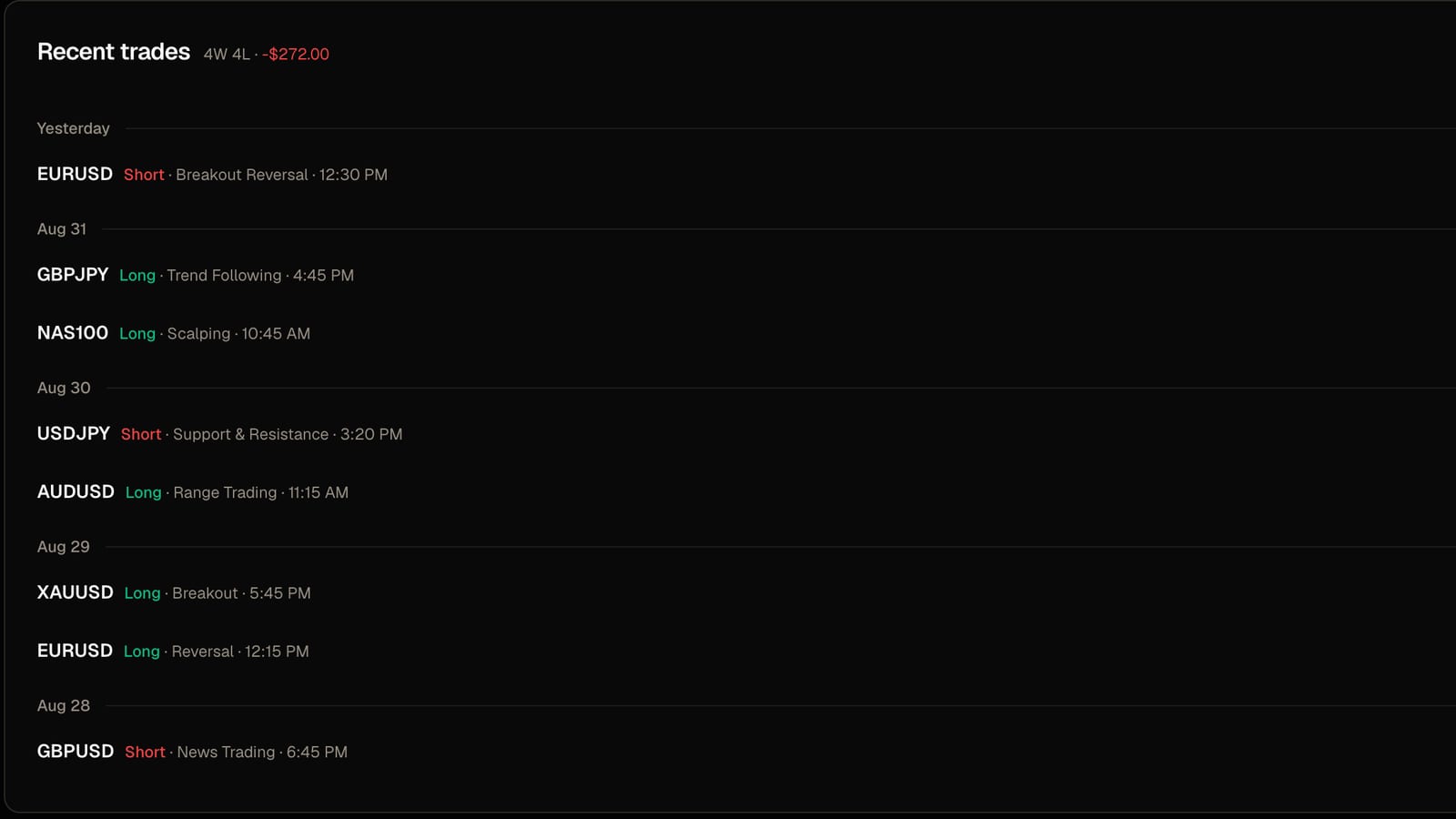
How to import Tradovate and NinjaTrader trades into a journal
Which file to export, what the importer does with your fills, and the one setting that stops your trades landing on the wrong day.
Read post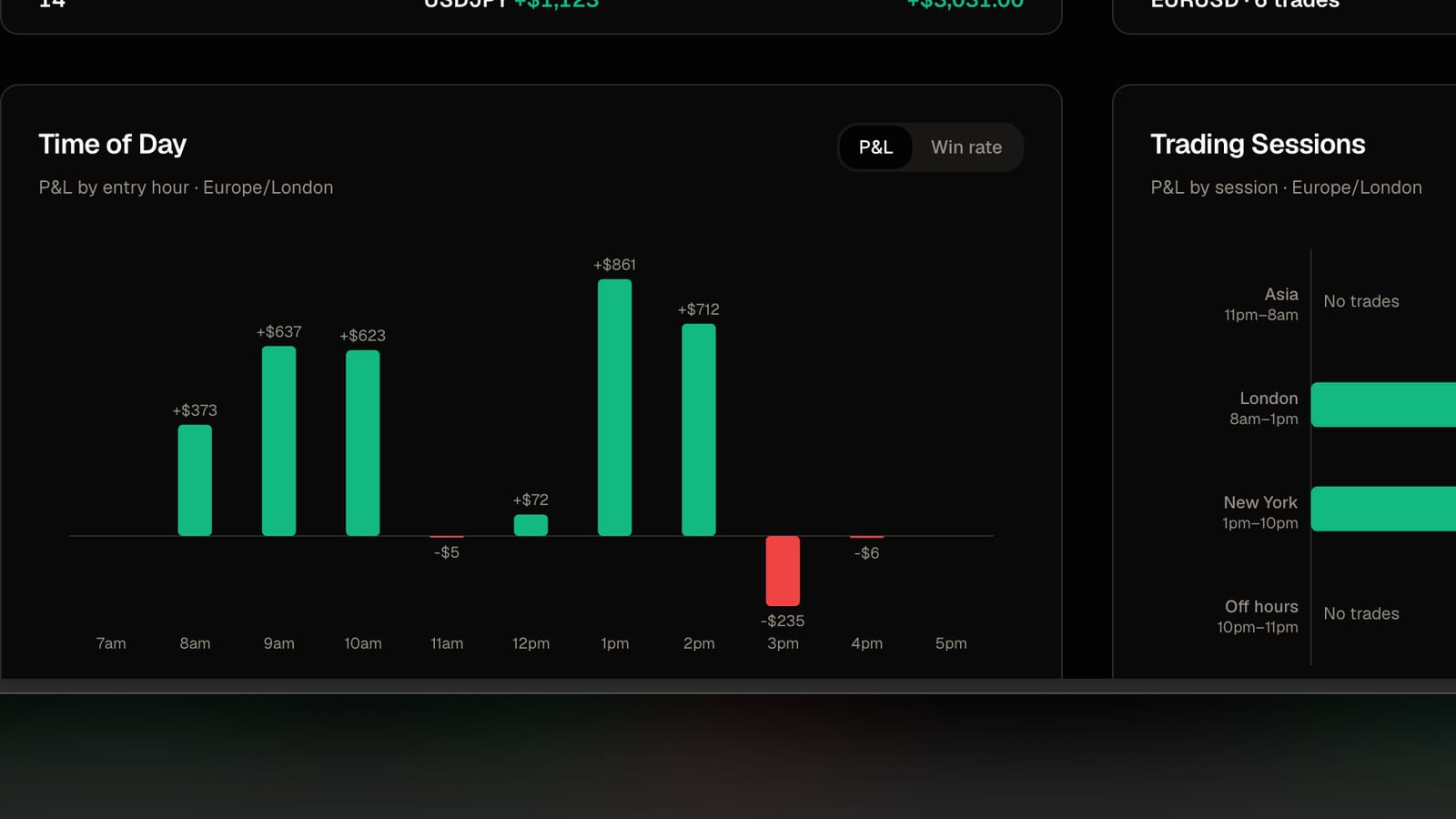
Imports2 min read
Why your imported trades land on the wrong day
Broker files are written in the broker's clock, not yours. One setting per account fixes it.
Read post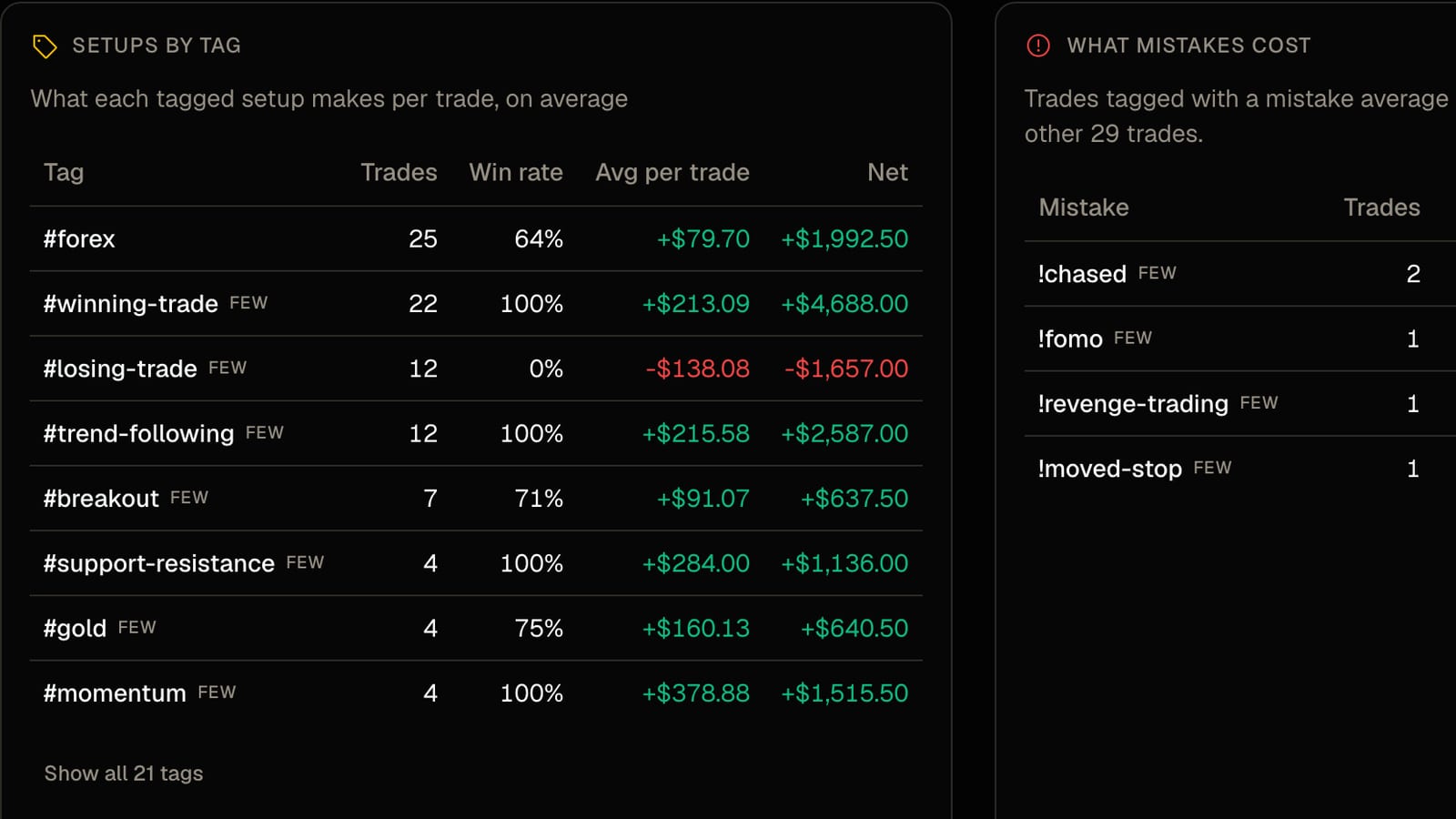
Journaling2 min read
Tag your setups, then find out which ones actually pay
A tag costs two seconds at entry. A month later it tells you what each setup earns per trade and what each mistake costs.
Read postFAQ
Common questions.
Straight answers.
Which futures platforms can I import from?
Tradovate (Orders or Performance report), NinjaTrader (Executions tab or Trade Performance), TopstepX and Rithmic CSV exports, and any other broker CSV through the column mapping dialog. You can also upload a screenshot of your closed trades if a platform has no export.
How is futures P&L calculated?
From the contract's point value. ES is $50 a point, NQ $20, MNQ $2, CL $1,000, GC $100, and so on for every contract in the table above. The journal multiplies the price move by that value and the number of contracts, then subtracts commission. If a file already carries realised P&L, that figure is used instead.
Does it handle micro contracts?
Yes. MES, MNQ, MYM, M2K, MCL, MGC and SIL each have their own point value, so a micro trade is never scaled as if it were the full-size contract.
Why do my imported trades show the wrong time?
Broker files carry a clock but not a time zone. Each account has a broker time zone setting; for Tradovate and NinjaTrader leave it on "Same as this device". Picking US Central because your firm is in Chicago shifts every trade by hours unless your platform actually displays Chicago time.
Can I track a Topstep or Apex evaluation?
Yes. Add the account, set the daily loss limit, trailing drawdown and profit target in PropTracker, and the page shows how much room you have before the next session. Every evaluation fee, reset and payout is logged so you know what each firm has actually cost you.
Is the futures journal free?
Free to start, with no credit card. Trade logging, P&L, imports, goals and the calendar heatmap have no cap on trades. The free plan covers two accounts and the last 30 days of dashboard analytics. Pro removes those limits and adds AI review and cloud sync. Nothing is ever deleted on either plan.
Track every trade, spot what's working, and build consistency — with professional analytics, journaling, and performance tools. Free forever, no credit card required.
Trading Tools
Prop Firms
© 2026 FreeTradeJournal. All rights reserved.