
Why a journal
Tracking a Funding Pips
account.
Funding Pips runs several challenge models, and each one is a set of numbers you have to respect at once: phase profit targets, a daily loss limit measured intraday against your opening balance or equity (floating losses count), and a static maximum loss that never moves. The dashboard tells you where you stand. It does not tell you which habits are spending your buffer.
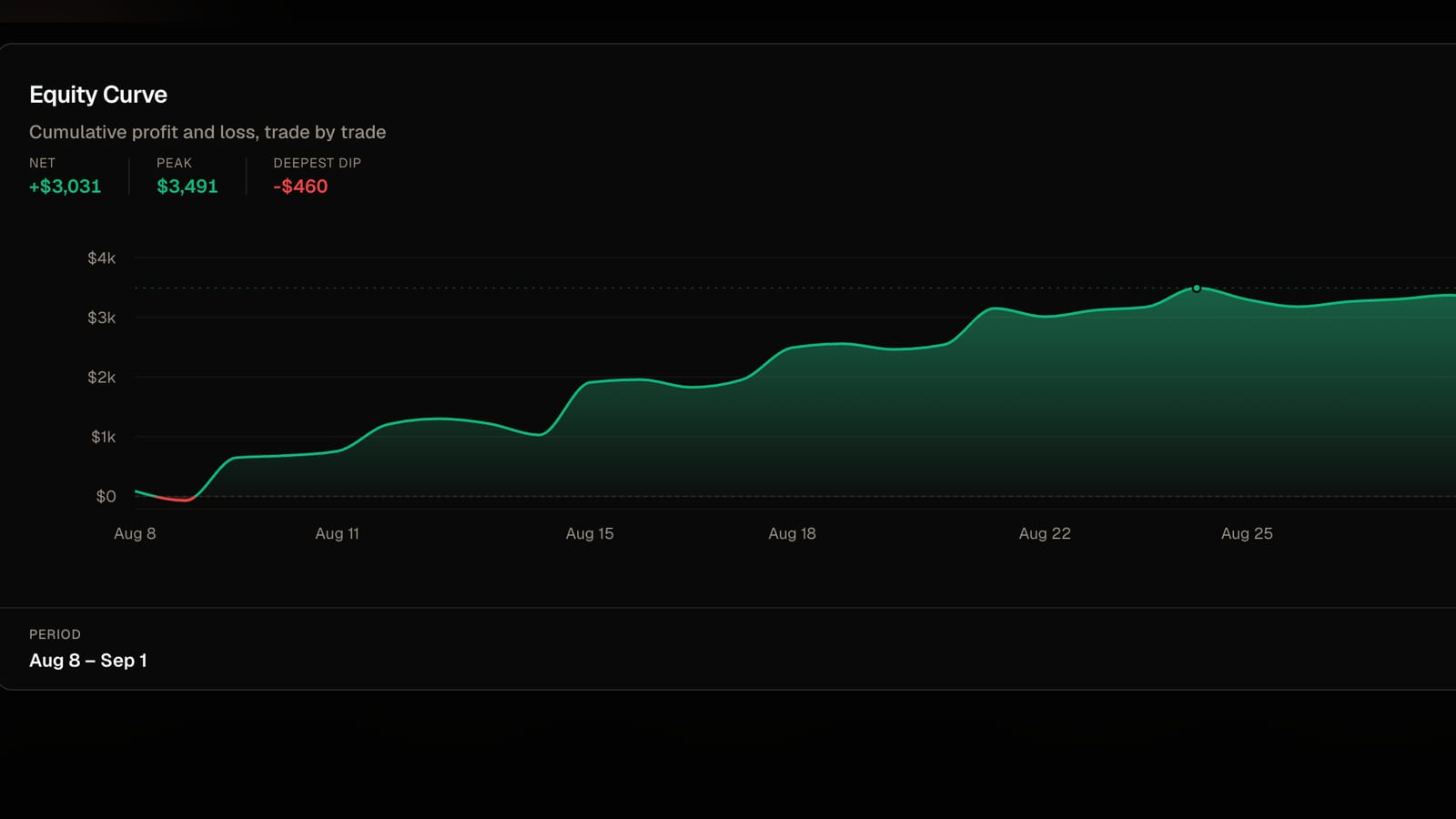
A journal does. Import your trades into FreeTradeJournal and you get daily P&L against the limit, win rate by pair and session, an equity curve against the loss floor, and notes tied to the trades that decided the challenge.
The free plan covers it: unlimited logging, CSV import, analytics, and a prop firm tracker. Here are the current rules for the main models and how to get your trades in.

Funding Pips at a glance
- Account sizes
- $5K to $100K on all models; $200K on 2 Step Pro and Zero
- 2 Step Standard targets
- 8% in Phase 1, 5% in Phase 2 (the older 10%/5% variant retired July 2026)
- Daily loss limit
- 5% on 2 Step Standard (3% on 1 Step Flex, Pro, and Zero; 4% on 2 Step Flex) — measured against the higher of the day's opening balance or equity, floating losses included, resetting at 00:00 platform time
- Maximum loss
- 10% on 2 Step Standard (12% Flex models, 6% Pro) — static below the starting balance, breached if equity or balance touches it at any moment. Zero uses a 5% trailing drawdown instead
- Profit split
- Depends on model and reward cycle: 2 Step Standard pays 60% weekly, 80% bi-weekly, or 100% monthly; Flex models 85-95%; Zero 95%
Rules verified 10 August 2026. Full table below.
The rules
What Funding Pips
makes you track.
| Account sizes | $5K to $100K on all models; $200K on 2 Step Pro and Zero |
| 2 Step Standard targets | 8% in Phase 1, 5% in Phase 2 (the older 10%/5% variant retired July 2026) |
| Other models | 1 Step Flex: 12% in one phase. 2 Step Pro: 6% and 6%. 2 Step Flex: 10% and 6%. Zero: instant funding, no evaluation |
| Daily loss limit | 5% on 2 Step Standard (3% on 1 Step Flex, Pro, and Zero; 4% on 2 Step Flex) — measured against the higher of the day's opening balance or equity, floating losses included, resetting at 00:00 platform time |
| Maximum loss | 10% on 2 Step Standard (12% Flex models, 6% Pro) — static below the starting balance, breached if equity or balance touches it at any moment. Zero uses a 5% trailing drawdown instead |
| Minimum trading days | 3 per phase on 2 Step Standard, 1 on Pro, none on the Flex models' base split |
| Profit split | Depends on model and reward cycle: 2 Step Standard pays 60% weekly, 80% bi-weekly, or 100% monthly; Flex models 85-95%; Zero 95% |
| Payouts | Cycle-based from your first funded trade (weekly, bi-weekly, monthly, or on-demand depending on model), processed in 1-3 working days |
| Platforms | MT5, cTrader, Match-Trader — chosen at checkout |
Rules verified against help.fundingpips.com on 10 August 2026. Funding Pips runs multiple models with different numbers and retires variants over time — check the rules for the exact model you bought.
How FreeTradeJournal helps
Every rule,
tracked for you.
Daily P&L against the loss limit
Funding Pips measures the daily limit intraday, including floating losses. The dashboard's daily breakdown shows how much of the allowance each session really used, and which weekdays are your dangerous ones.
Equity curve against the static floor
The maximum loss never moves from its starting level, so your remaining buffer is always visible as the gap between your equity curve and one flat line.
Progress to the phase target
Set the phase target as a goal — 8% on a $100K Standard is $8,000 — and watch what each trading day contributed and how many average days you still need.
The true cost of your challenges
PropTracker logs every challenge fee, reset, and payout, so you know your real net result with Funding Pips across all attempts and models.
A record of the bad days
Journal entries with emotion tags tie your notes to actual trades, so a failed phase becomes something you can study instead of repeat.
Getting your trades in
Import from
MT5.
Funding Pips accounts run on MT5, cTrader, or Match-Trader, picked at checkout. MT5 is the first-listed option in their own setup guides, and exporting takes about a minute:
Log into the MT5 terminal with the Funding Pips credentials from your dashboard.
Open the Toolbox panel (View menu, or Ctrl+T) and switch to the History tab.
Right-click inside the history list and choose the period you want, for example All History.
Right-click again and choose Report, then save as Open XML — it opens in Excel, where you can save it as CSV.
In FreeTradeJournal, open Trades and use Import CSV. The column-mapping step recognises MetaTrader exports, so you do not need to reformat anything.
On cTrader, use the History tab's Statement export instead; on Match-Trader, export your account statement from the platform's history view.
Track your Funding Pips account free
No credit card. Import your trades and see your stats in minutes.
Guides
Reading for Funding Pips traders
Import walkthroughs and evaluation habits from the blog, written by the person who builds the journal.
Imports2 min read
How to journal MT4 and MT5 trades for free, no plugins
Export your position history, drop it in, done. Works with IC Markets, Pepperstone and most MetaTrader brokers.
Read post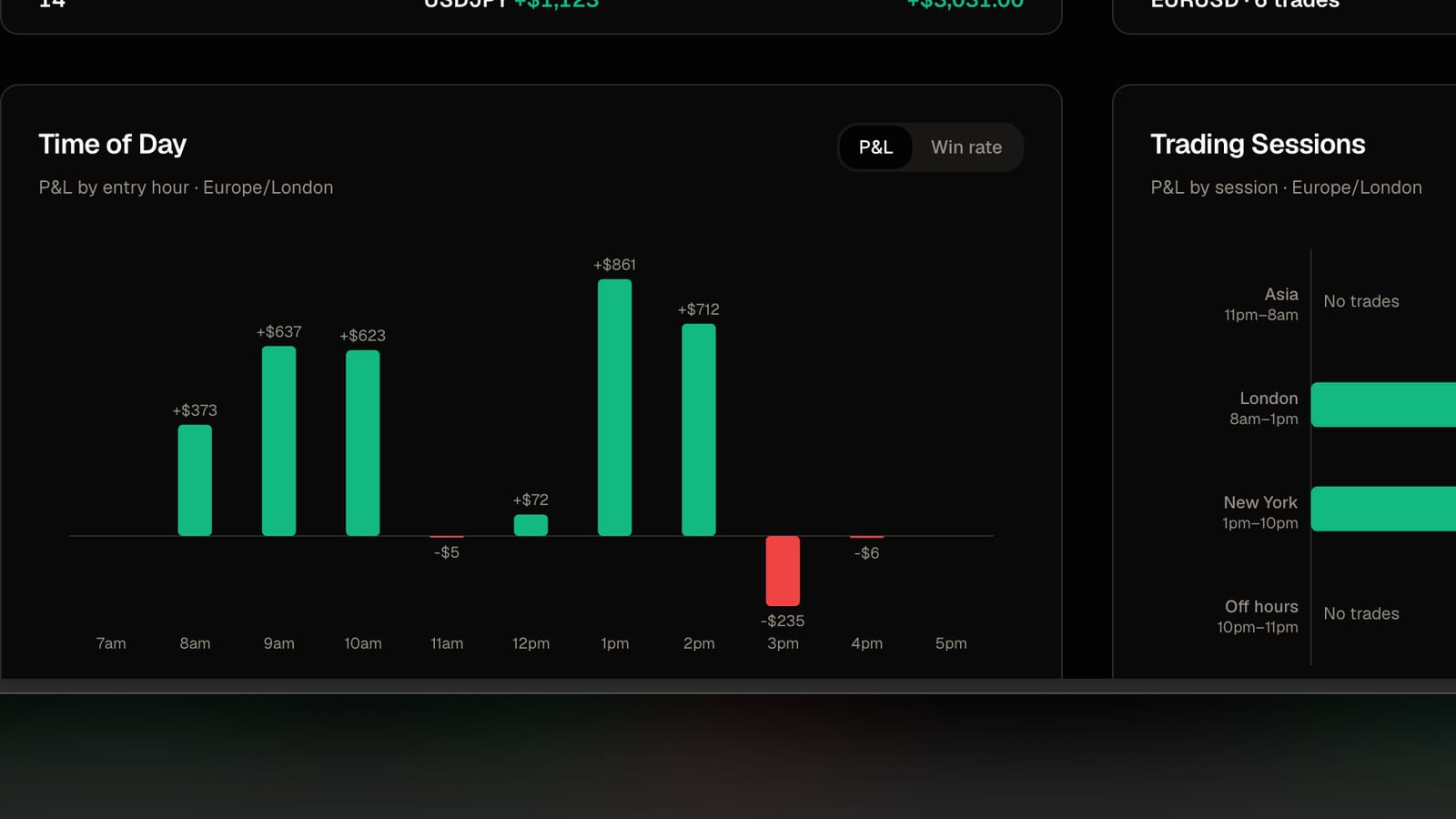
Imports2 min read
Why your imported trades land on the wrong day
Broker files are written in the broker's clock, not yours. One setting per account fixes it.
Read post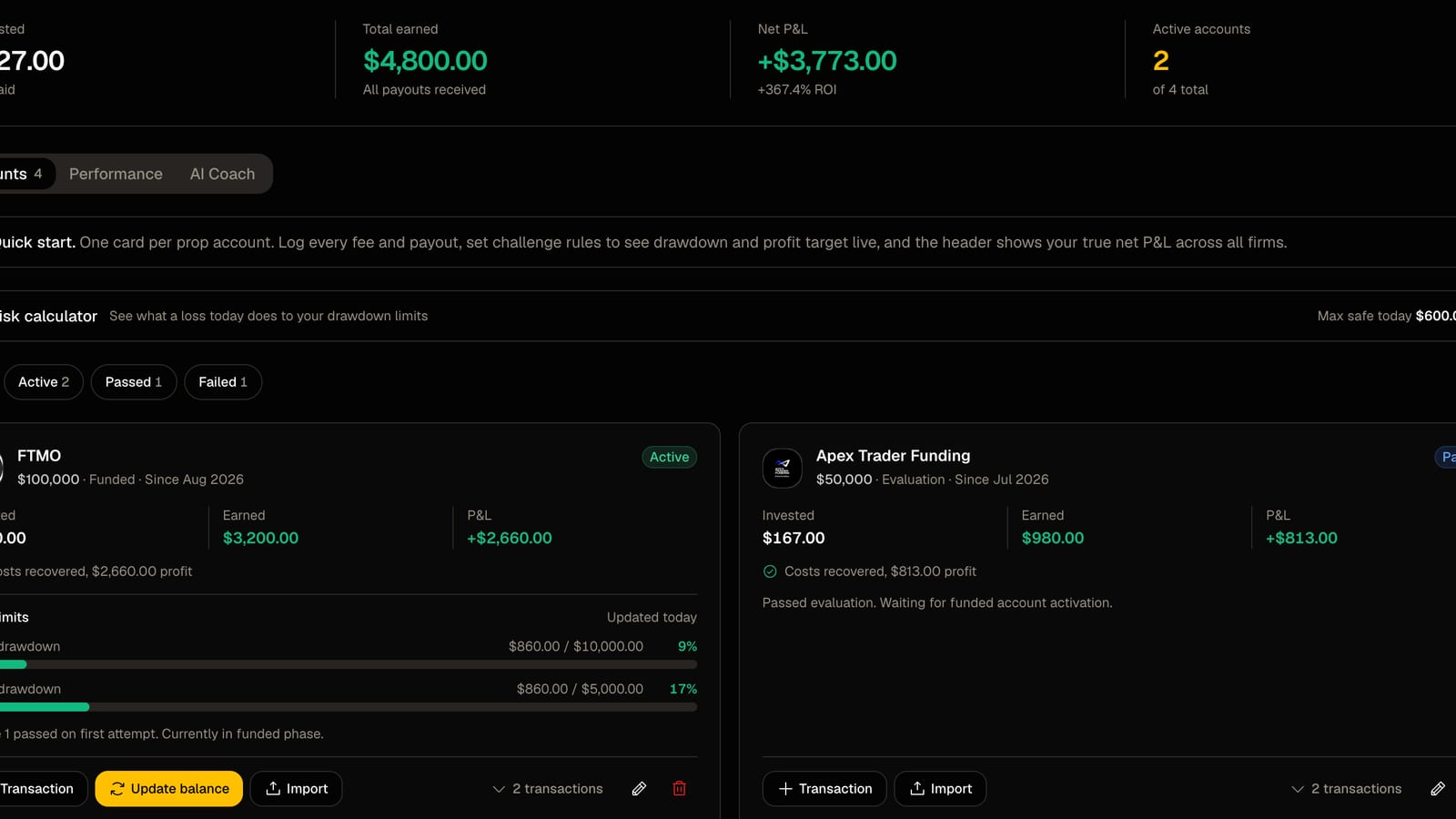
Prop firms2 min read
How to track several prop firm accounts in one place
Every fee, payout, drawdown limit and target on one screen instead of three dashboards and a spreadsheet.
Read postTracking Funding Pips with FreeTradeJournal Questions
Common questions about the rules, the import, and what the journal does
Track every trade, spot what's working, and build consistency — with professional analytics, journaling, and performance tools. Free forever, no credit card required.
Trading Tools
Prop Firms
© 2026 FreeTradeJournal. All rights reserved.