
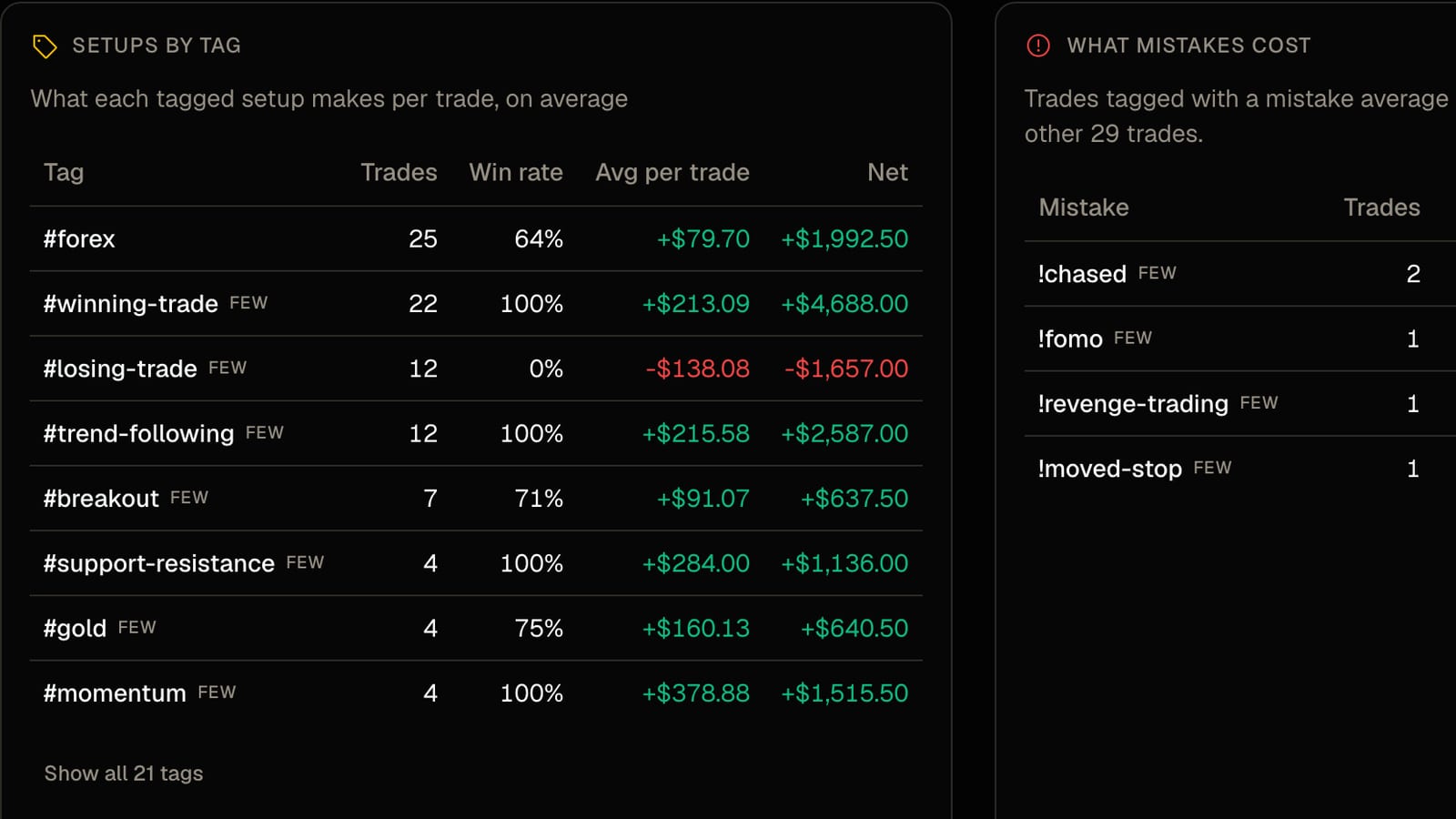
Every trader has a story about which setup is their best one. Very few have the number. The tag tables in FreeTradeJournal exist to replace the story with the number, and the whole thing runs on tags you add in two seconds when you log the trade.
Tag the setup
When you add or edit a trade there is a Tags field. Type what the setup was: FVG, order block, NFP, opening range, whatever words you already use. Tags you have used before appear as one-tap suggestions, and the same list is shared with your journal so spellings stay consistent. Three or four tags per trade is plenty. Setup, session, and anything unusual about the day.
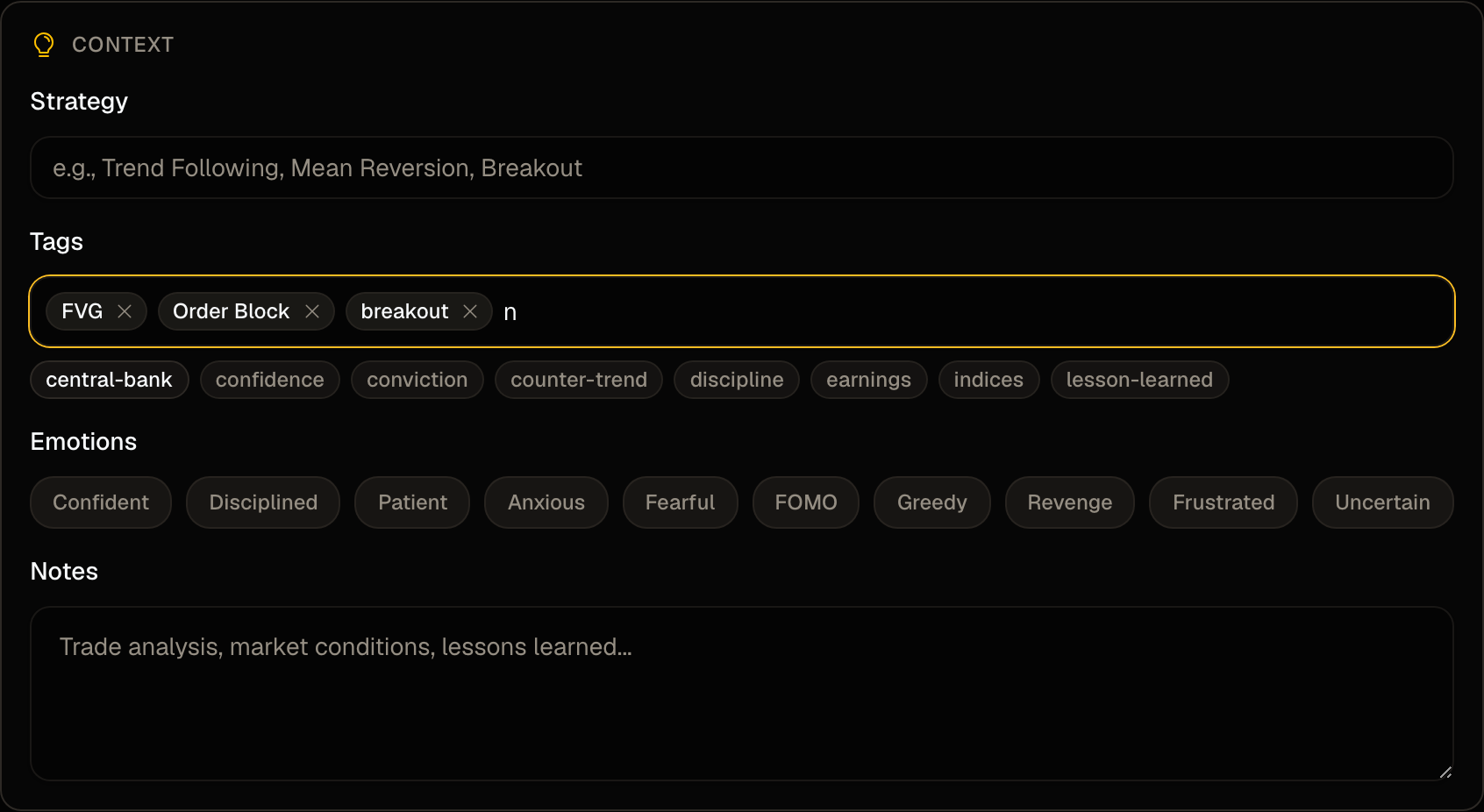
The Trade Log has a Tags filter next to Strategy, so you can pull up every trade for one setup and look at them together.
Mark mistakes with an exclamation mark
Start a tag with ! to mark a mistake. !chased, !moved-stop, !revenge, !no-plan. It is the same field, so it costs nothing extra. It just means the mistake is recorded next to the trade instead of in your head, where it gets forgiven by Friday.
Read the two tables
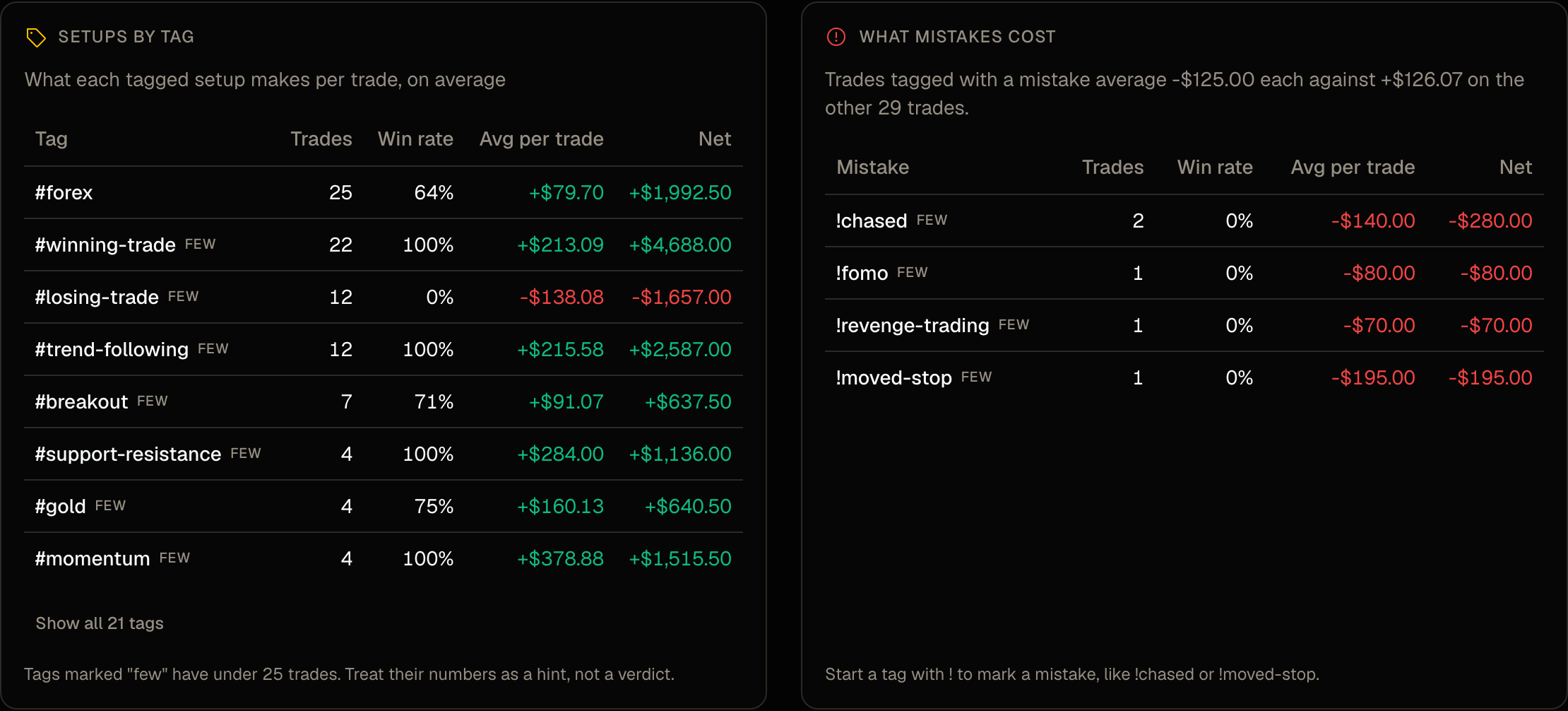
Trade Insights lists every tag with its trade count, win rate, average per trade and net result. Tap a tag to open those trades in the log.
The second table is the one that stings. It takes every trade with a mistake tag and shows what those trades average against your clean ones. In the demo account, mistake-tagged trades average a loss of $125 each while the other trades average a gain of $126. Your numbers will differ. The gap usually does not.
Treat small samples as hints
A tag with under 25 trades is marked "few". Its numbers are a hint, not a verdict. A setup that is 4 for 4 is not a 100% setup. It is a setup you have taken four times. Keep tagging and let the count grow before you change your plan around it.
What to do with it
Two things, and only two.
Find the setup with the best average per trade and a real sample, and take more of it. Find the mistake tag with the biggest net cost and make the next week about not doing that one thing. Not all of them. That one.
Tags and both tables are on the free plan. Tag your next trade and check the table in a month.
FreeTradeJournal is the journal this post is about. Unlimited trades, broker CSV import and goal tracking on the free plan. No card required.
Start journaling freeRead next
How to import Tradovate and NinjaTrader trades into a journal