
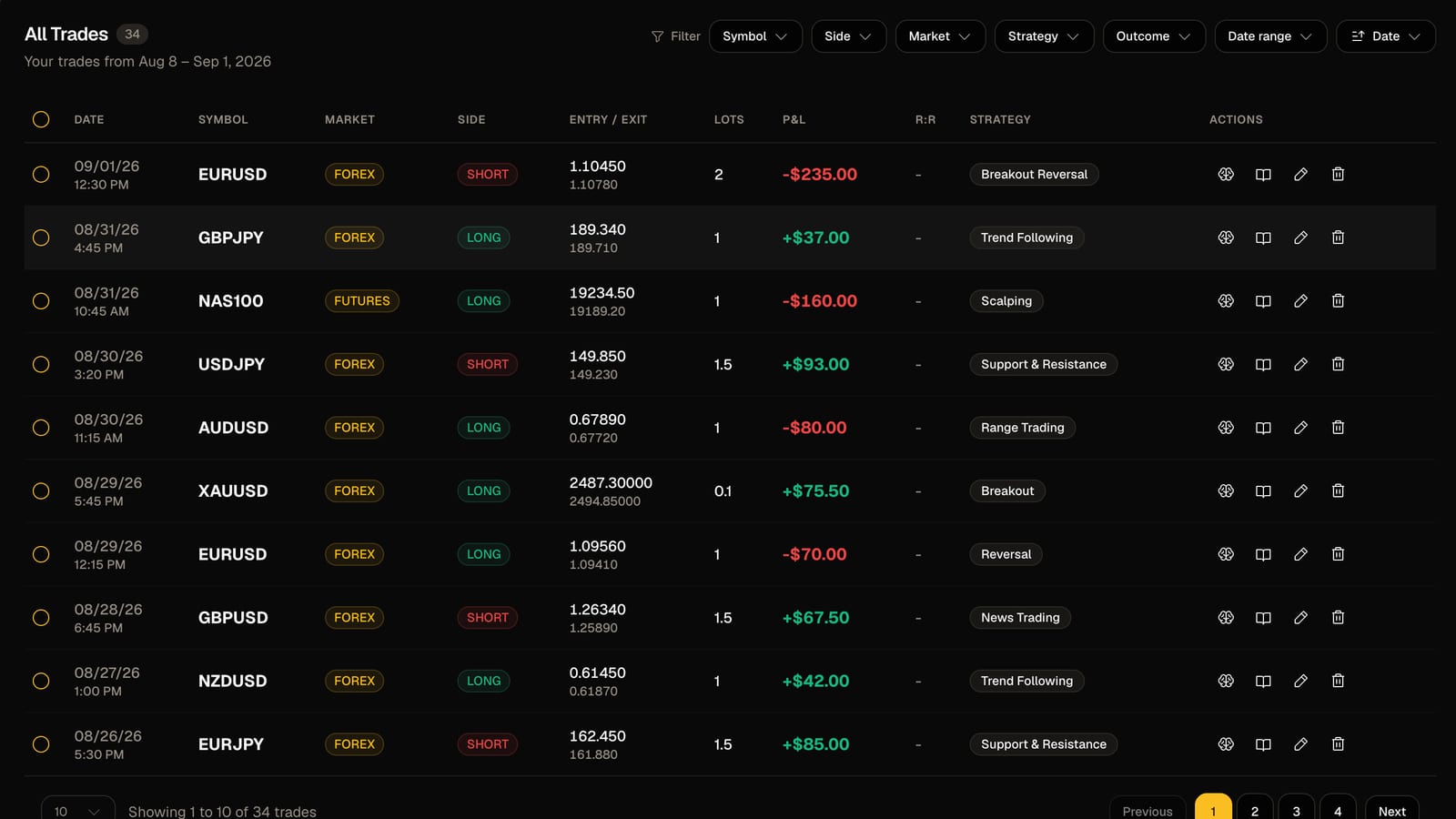
If you trade through DAS Trader Pro or the DAS simulator you have probably hit this wall. The Trades window exports one row per execution, not one row per trade. Buy 300 shares in three fills and sell in two, and your one trade is five rows with no entry price, no exit price and no P&L per position.
Most journals choke on that. You either build a spreadsheet that pairs your fills by hand, or you give up on the detail and track the daily total. Neither helps you improve.
FreeTradeJournal imports DAS exports directly. Here is how it works.
Export from DAS
Open the Trades window in DAS Trader Pro, right-click, and export to CSV. No plugins and no special settings. The simulator exports the same format, so sim sessions journal exactly like live ones.
One quirk. DAS daily exports sometimes carry only a clock time on each row, with the date nowhere in the file. If the file is named something like July20.csv, the importer reads the trading date from the file name. Keep the default file names DAS gives you and it works.
What the importer does
Drop the file onto the Dashboard or the Trade Log. The importer then:
- Pairs your fills into complete trades. Buys and sells are matched into positions, so five fills become one trade with a real entry price, exit price and share count.
- Handles shorts. Sell to open followed by buy to cover comes out as a short trade with the direction and P&L the right way round.
- Handles partial exits. Scale out in pieces and the trade closes where your position actually goes flat.
- Handles flips. Go from long 200 to short 100 in one order and the importer splits it into two trades instead of producing nonsense.
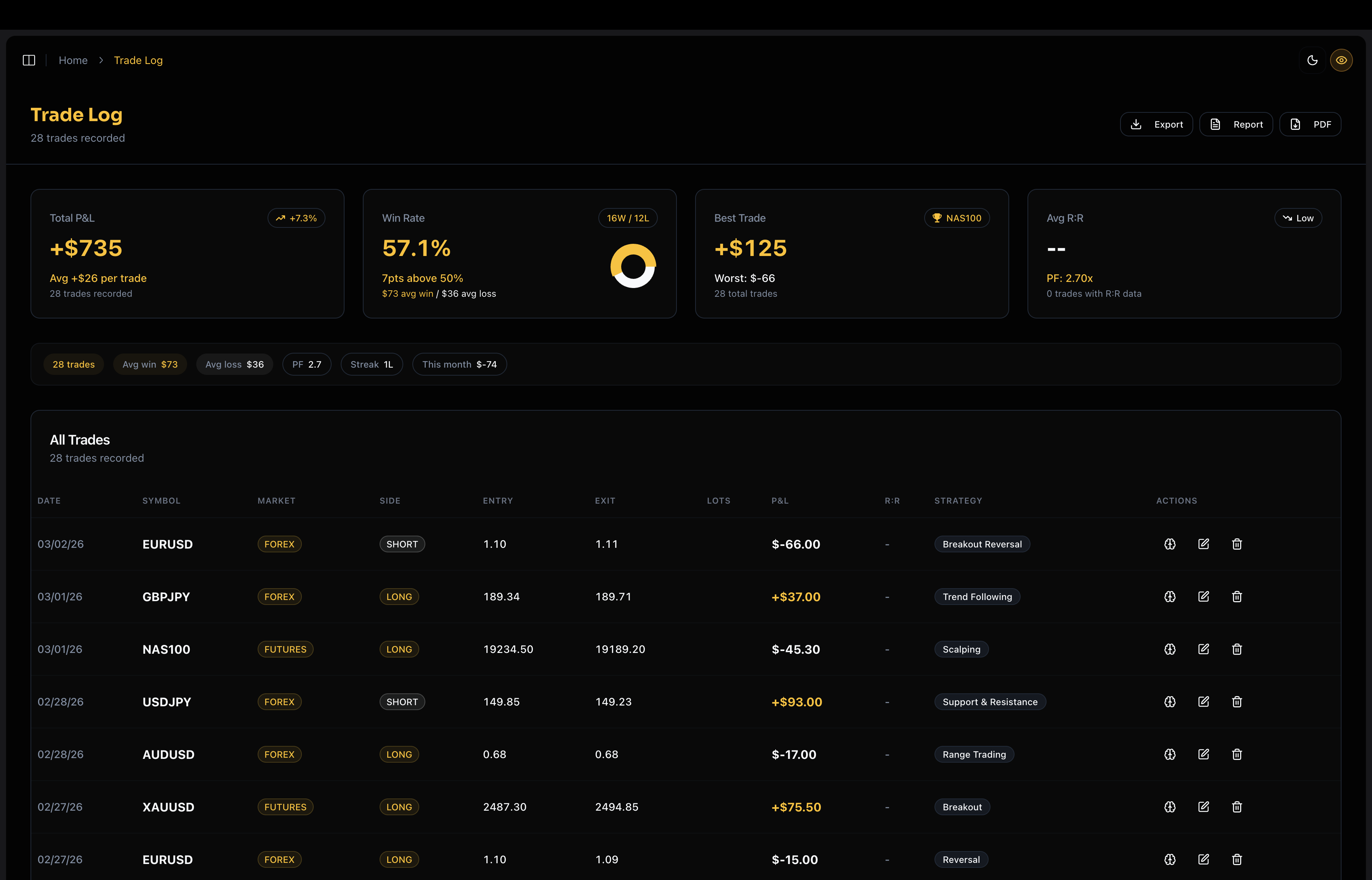
After a larger import, the AI coach reads the file and gives you a first summary. Win rate, where the losses cluster, which session you trade best. It is a quick way to check everything landed correctly, and it usually tells you something you did not know.
Why bother
Daily P&L tells you whether you made money. Complete trades tell you why. Once your DAS fills are real trades you can see win rate by time of day, average loser against average winner, which tickers to stop touching, and whether your scale-outs save you money or cost you.
What it costs
Importing is free. So are the trade log and the analytics for your last 30 days. There is no trial and no card.
If you trade DAS, try the import with last week's file. It takes about a minute.
FreeTradeJournal is the journal this post is about. Unlimited trades, broker CSV import and goal tracking on the free plan. No card required.
Start journaling freeRead next
How to journal MT4 and MT5 trades for free, no plugins